
01
Arrange the brand and capacity on the label
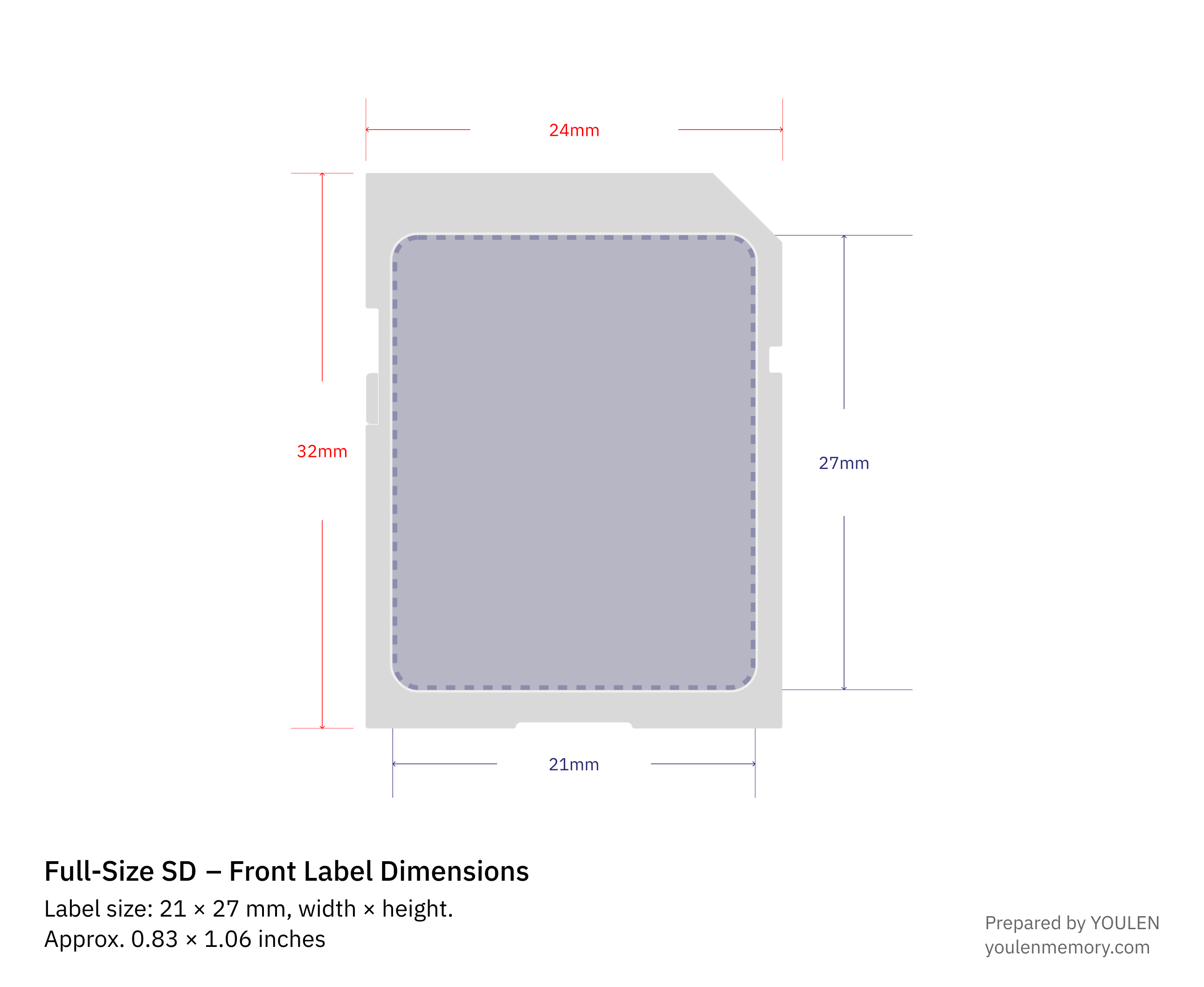
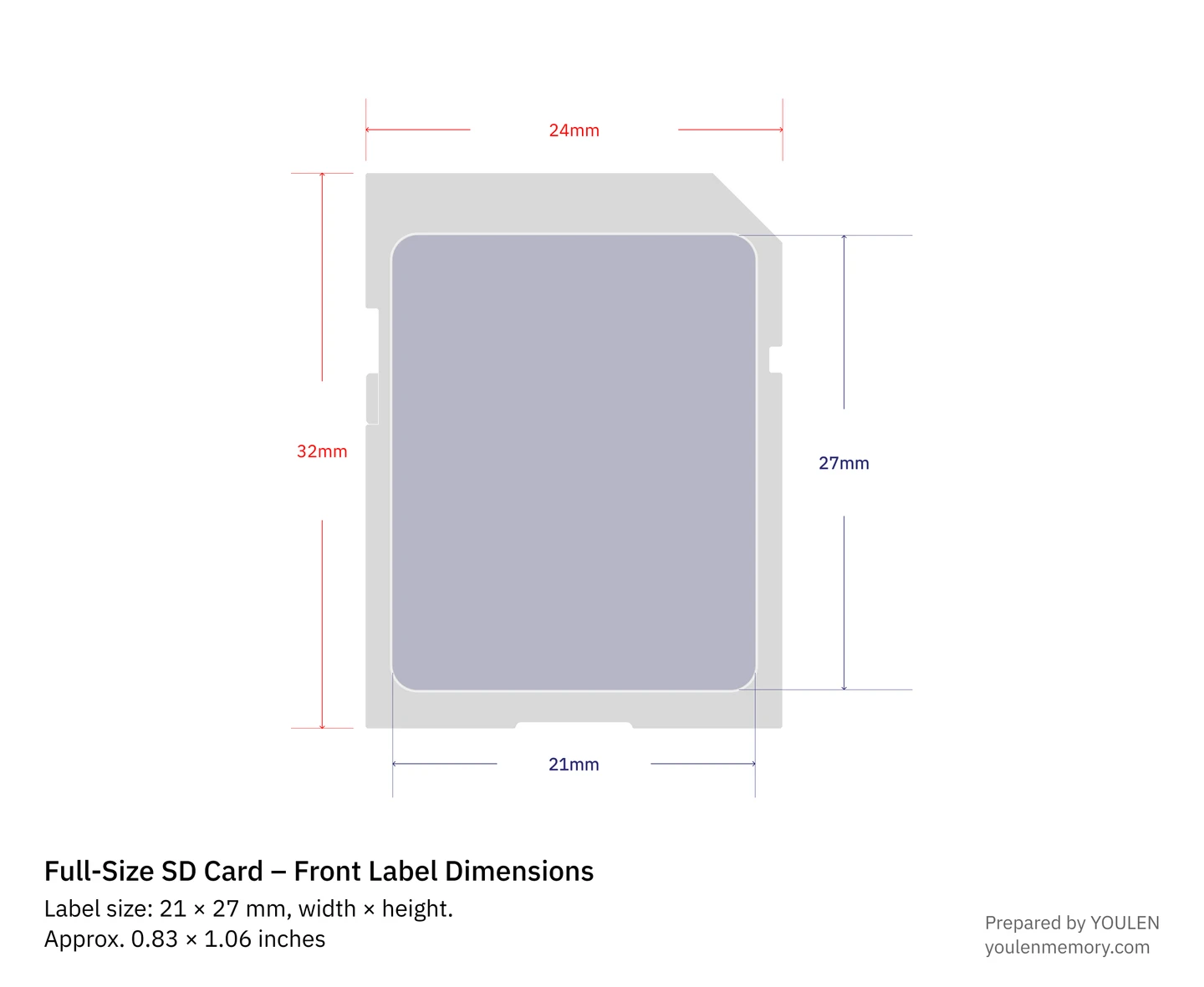
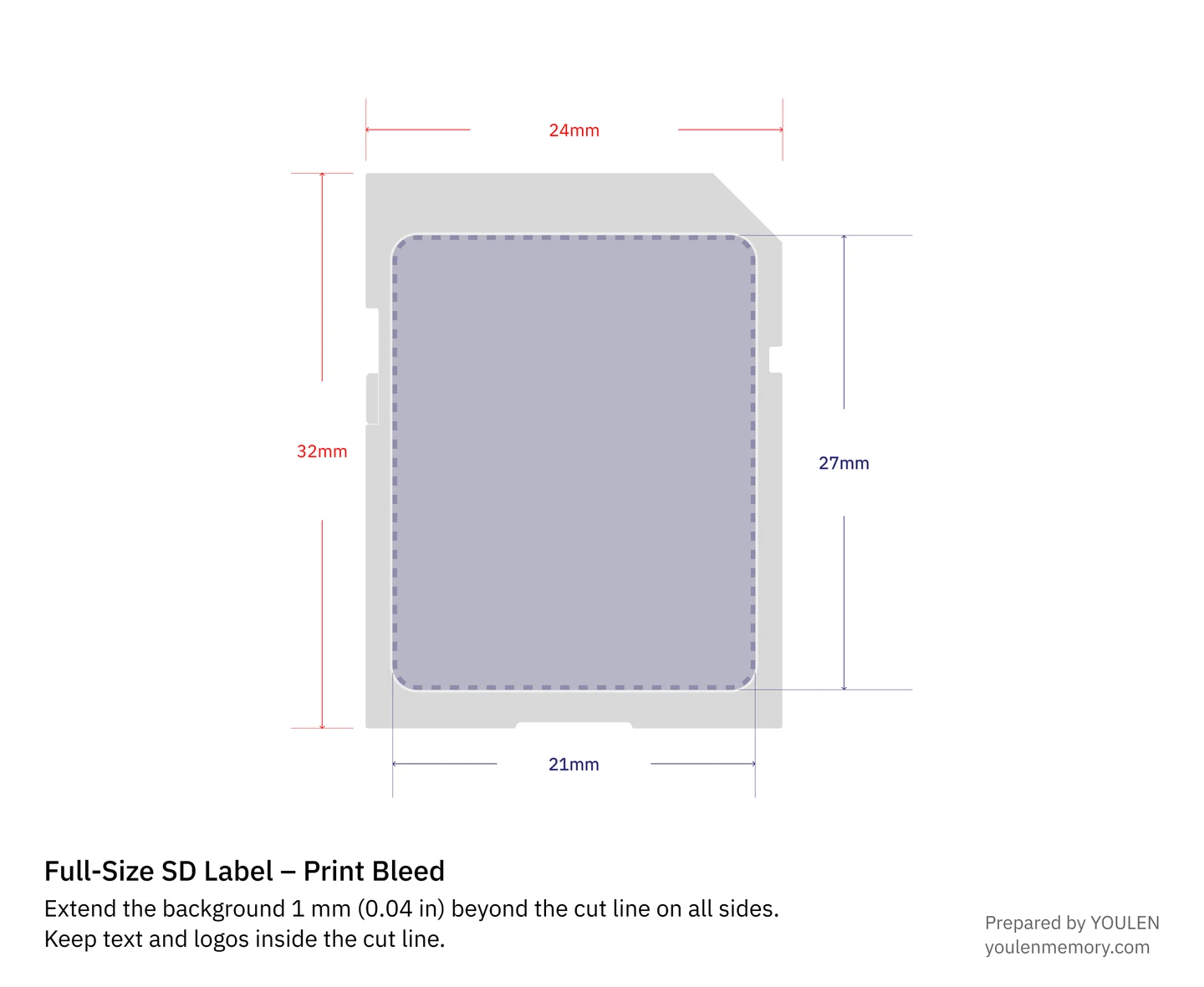
The card body shown measures 24 × 32 mm (0.94 × 1.26 in). Use it to orient the design. The rounded rectangle inside the card is the sticker you will print.
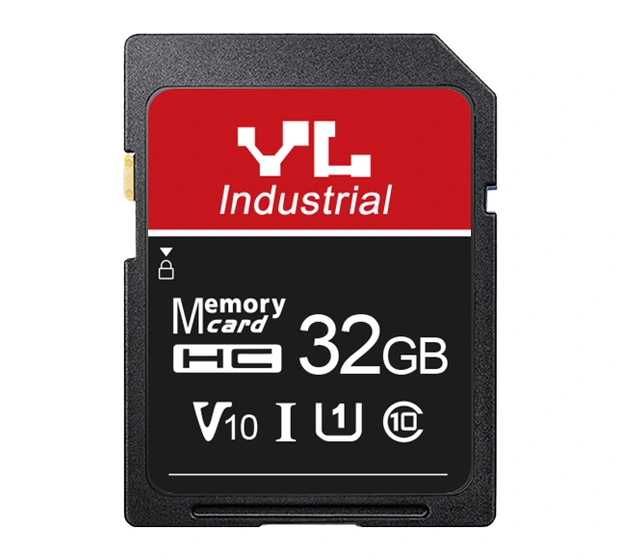
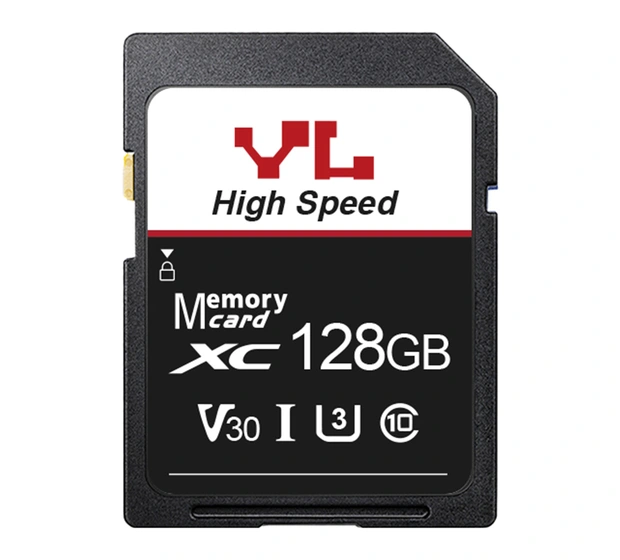
On the red and black 32 GB example, the upper band carries the brand and the capacity stands out on the dark lower panel. The 128 GB example keeps the brand in the same position and uses a white panel to distinguish the series. View each design at its finished size to check that the capacity is easy to read.
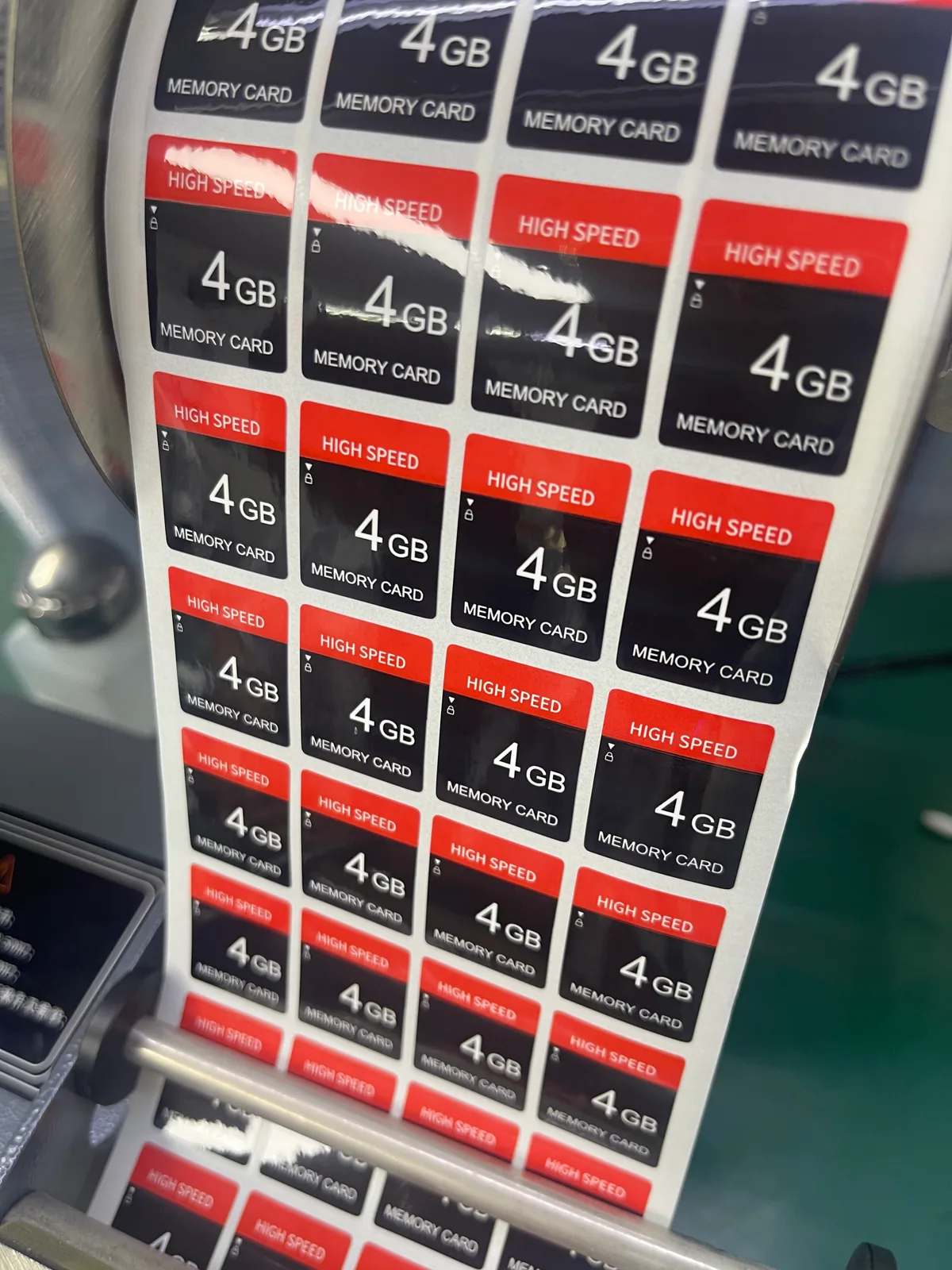
When preparing another capacity, check the model, capacity designation and performance marks for that version. Reserve space until the configuration is confirmed. Use the SD Association’s illustrated guide to card markings to identify the symbols you want to discuss with YOULEN.
02
Extend the background 1 mm beyond the cut line
For a background that reaches the finished edge, extend it 1 mm (0.04 in) on all four sides. A 21 × 27 mm (0.83 × 1.06 in) label therefore needs a background spanning 23 × 29 mm (0.91 × 1.14 in), including bleed.
The downloadable SVG includes the card body and the 21 × 27 mm front-label reference, dimensions and YOULEN notes. Add the 1 mm bleed outside the finished label edge in your artwork. Keep text and logos inside the cut line and remove reference annotations from the final print file.
03
Prepare the front and back of the retail blister card
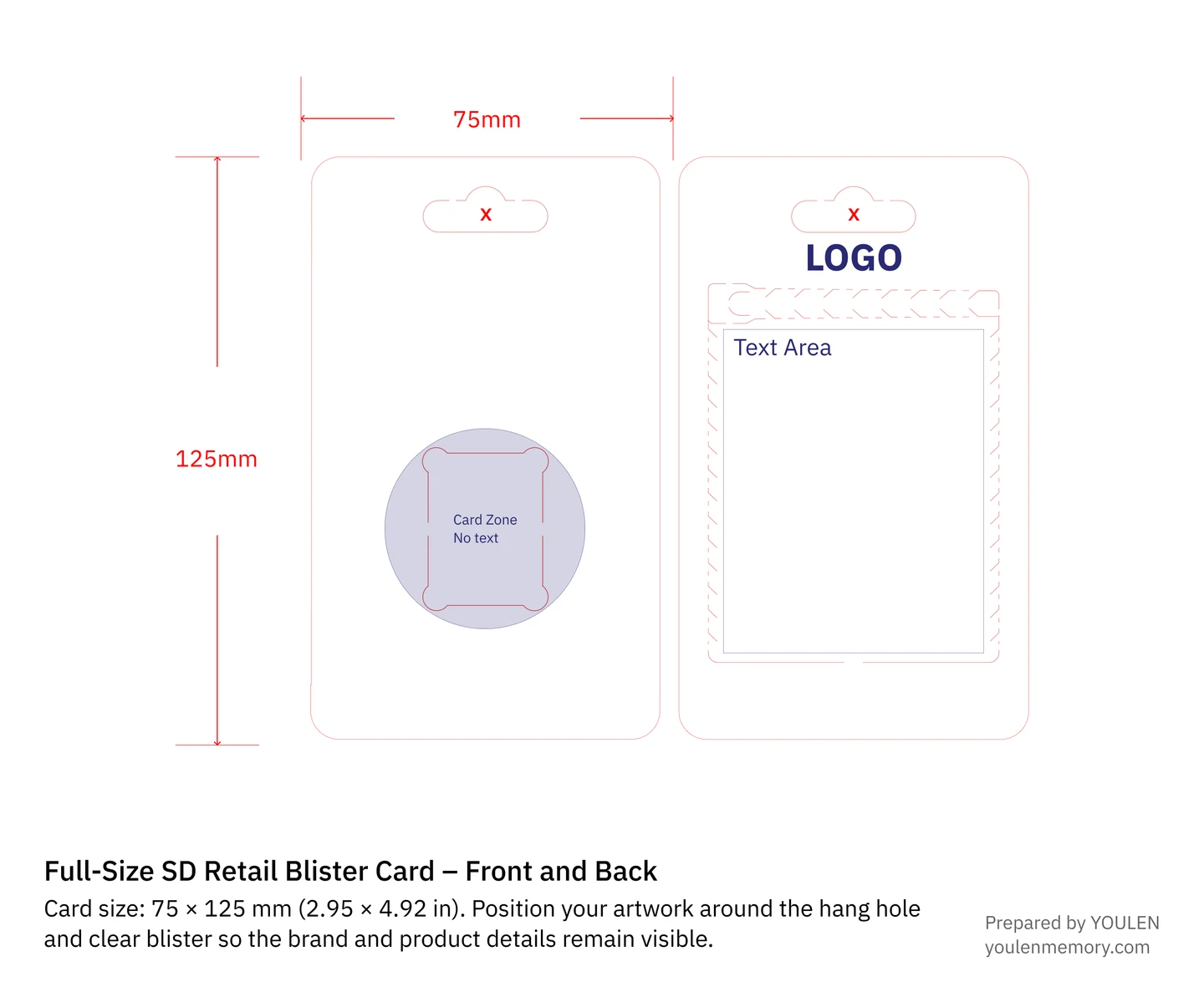
Each face of the paper backing measures 75 × 125 mm (2.95 × 4.92 in). YOULEN uses the same backing size for the TF and full-size formats. The clear plastic blister changes to fit the card. Use the full-size packing layout to position text around the hang hole and the area covered by the product.
Download blister card template (SVG)

One backing for several capacities
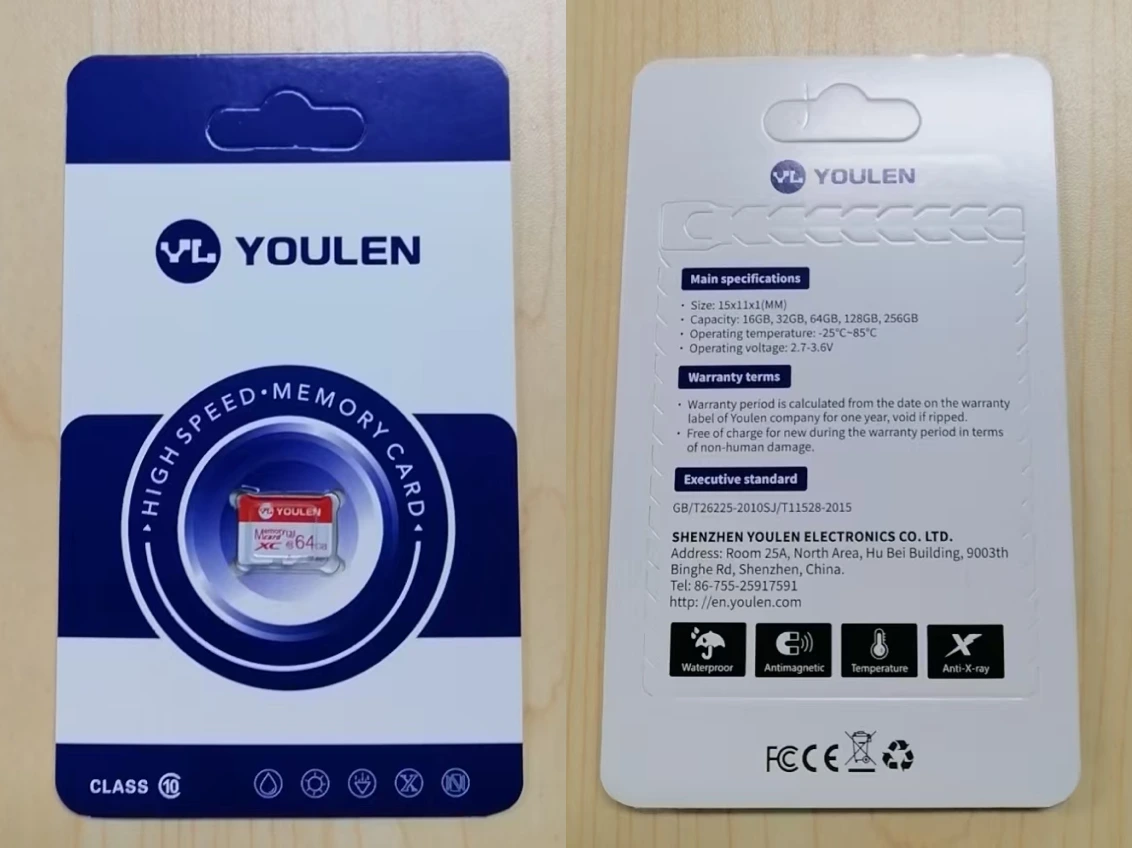
Print details that all versions share, such as instructions and support information. Make the actual capacity visible through the clear blister or add a variant label. If each version has its own barcode, match it to the card inside.
A separate backing for each retail version
If shoppers buy individual cards, give each capacity and specification its own backing design. Place the capacity on the front and the model, confirmed ratings and matching barcode on the back.
04
Use carton labels for the details that change
A plain inner carton can serve different capacities. Put the model, capacity, actual packed quantity and batch on the label so that receiving staff can identify the contents. If you want your branding printed directly on the carton, send the carton artwork for a custom packaging quote.
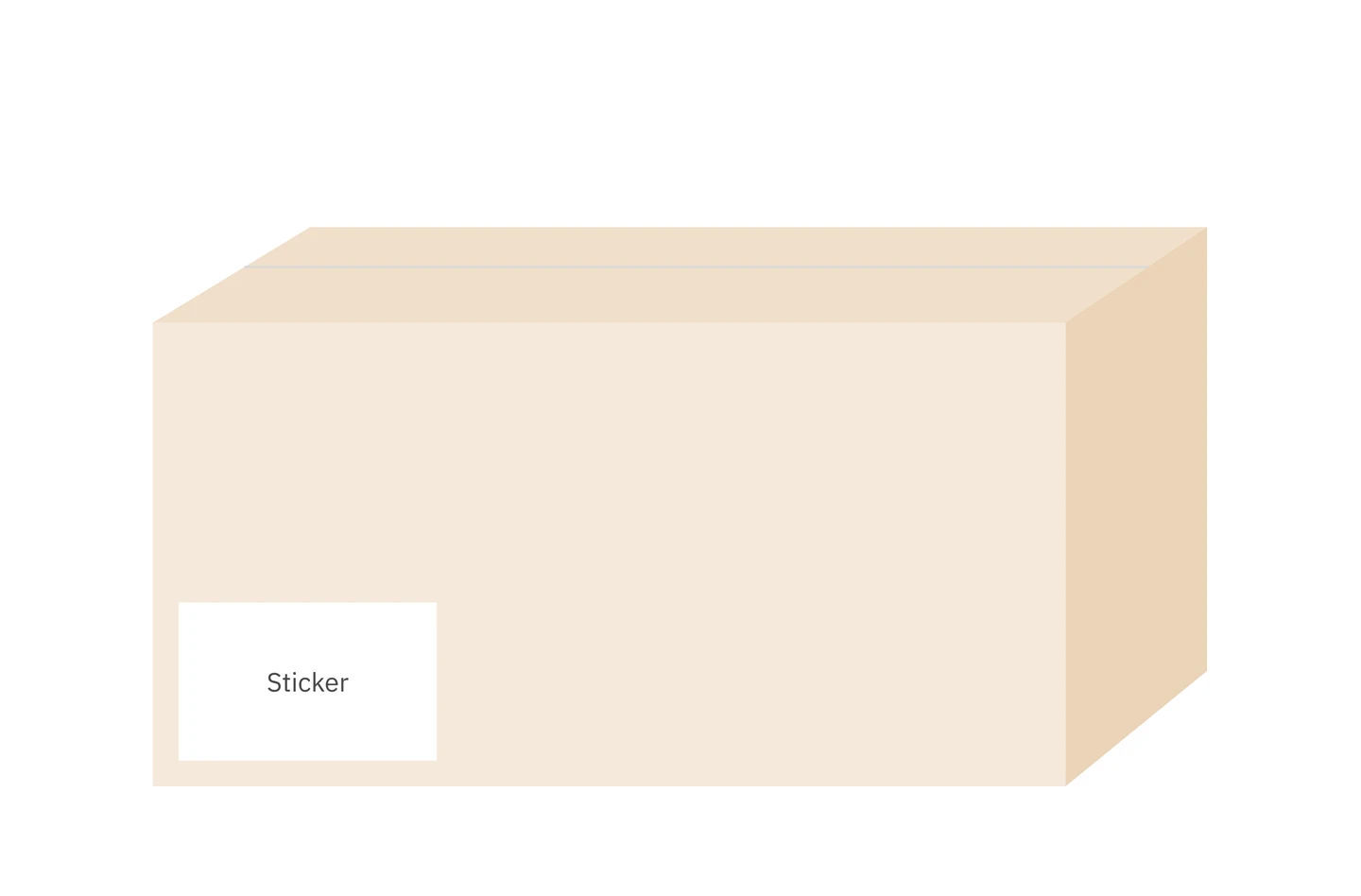
Carton sizes and packing quantities
For the retail packing arrangement shown, use these inner and outer carton figures when planning the order.
| Carton | Quantity | Dimensions |
|---|---|---|
| Inner | 100 sets | 28.0 × 8.6 × 13.8 cm (11.02 × 3.39 × 5.43 in) |
| Outer | 1,000 sets | 39 × 37 × 29 cm (15.35 × 14.57 × 11.42 in) |
For a change from 32 GB to 64 GB, update the front sticker and the carton label. A shared backing can stay in use if its printed details still apply; update any capacity or barcode sticker. For a dedicated retail pack, select the backing for the new model. Enter the actual packed quantity on each carton.
05
Ready to customise your card label or packaging?
In your quote request, specify the full-size card format, capacity, intended use, quantity and the parts you want to customise. When YOULEN replies, send the editable artwork and a matching preview by email, together with brand authorisation where applicable. Before sending, check the capacity, model and lettering in the exported preview. If the artwork is still in progress, describe your idea in the quote request so we can discuss the label and packaging layout.
Request a quoteWorking with the smaller format? Use the TF card artwork guide and outline.