
01
Choose what buyers should notice first
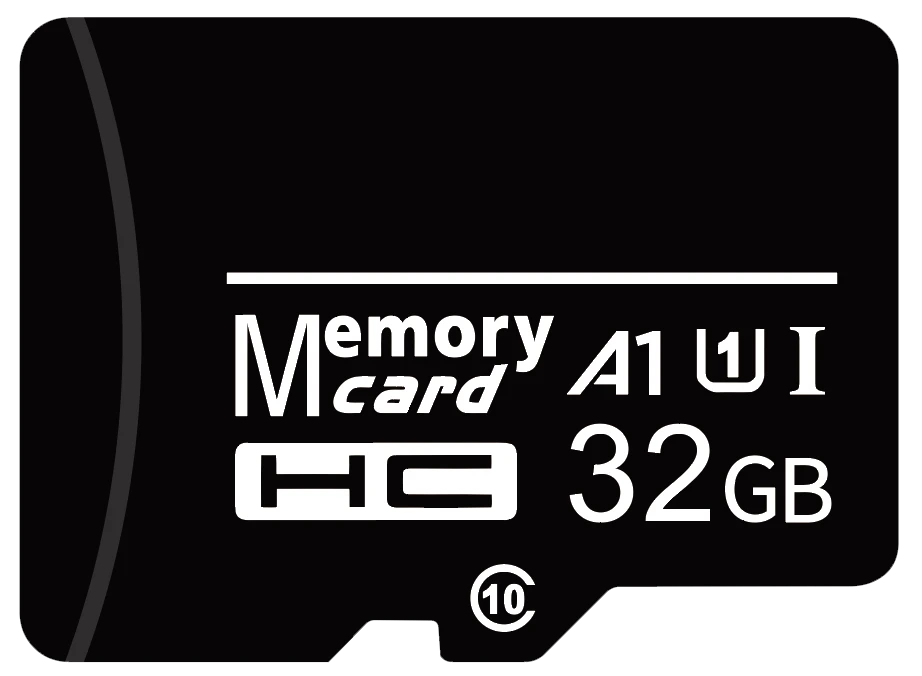
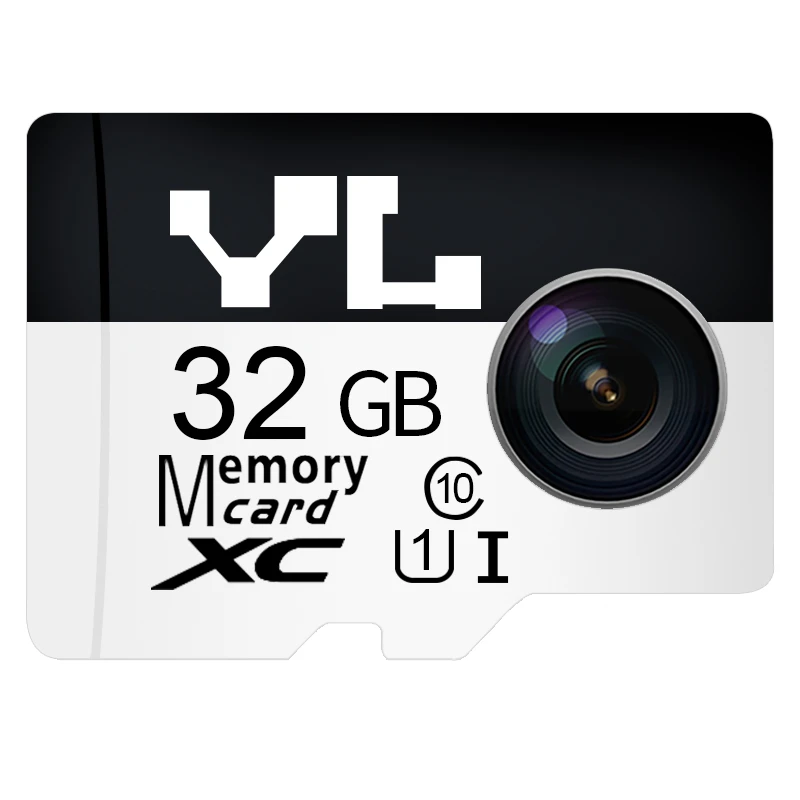
For a logo change, start with the black layout below. The top is clear for your brand. The capacity and ratings shown belong to this 32 GB example and should be checked against your order.
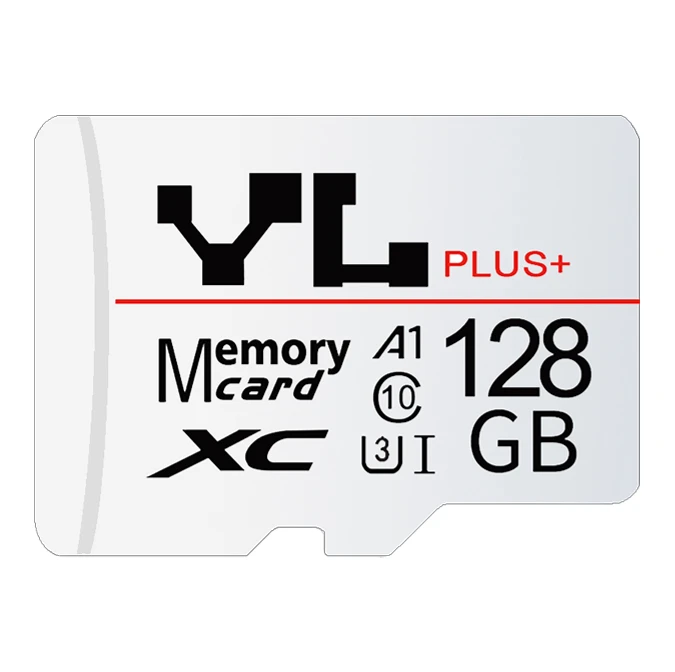
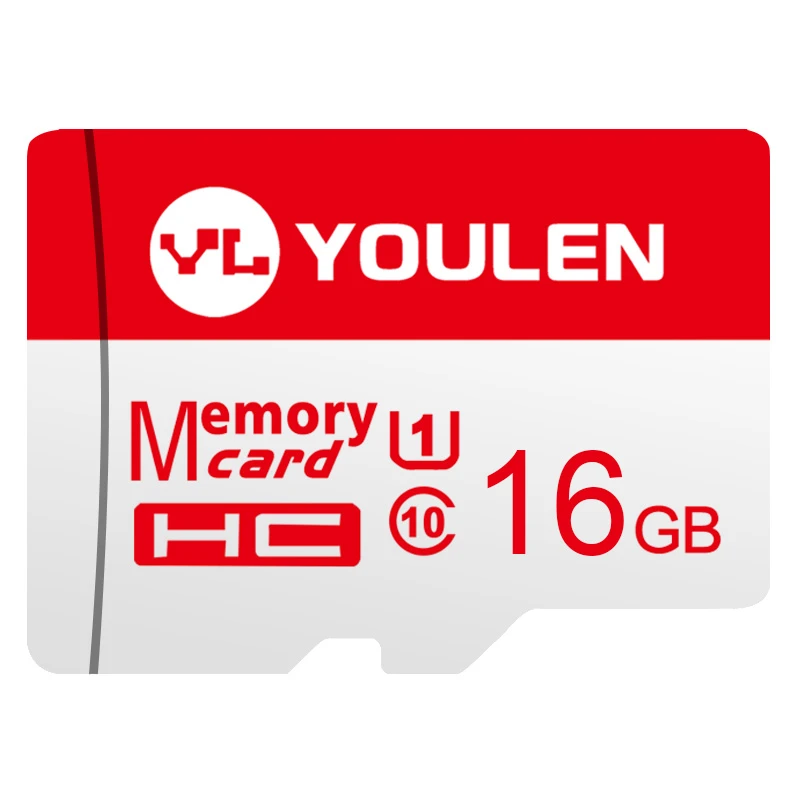
For a new layout, decide what needs to stand out at actual size. A large capacity numeral helps buyers tell variants apart. A contrasting band draws the eye to the brand. An application illustration can help identify a product family. Move longer descriptions onto the packaging.
02
Check the edge, divider and surface step
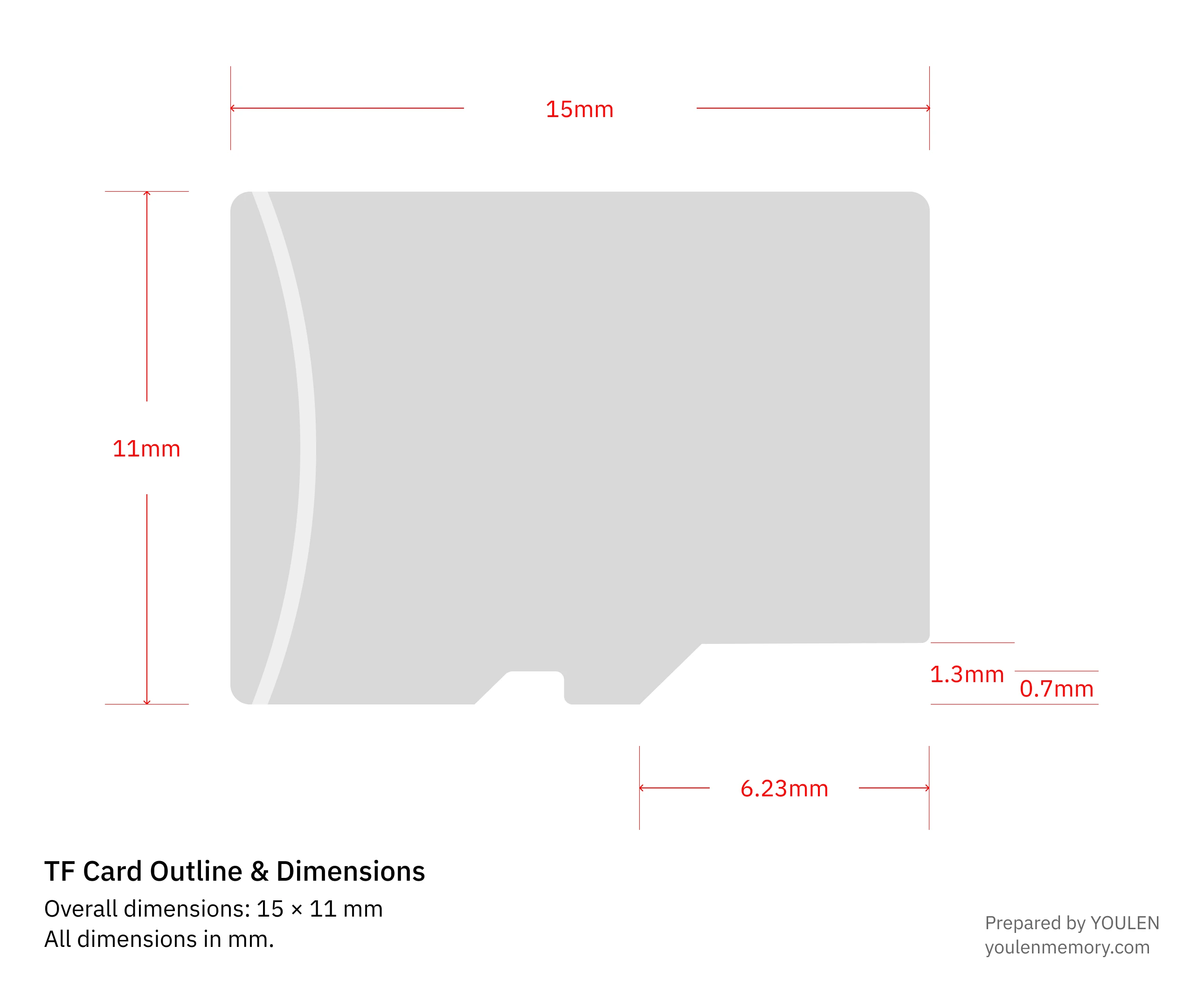
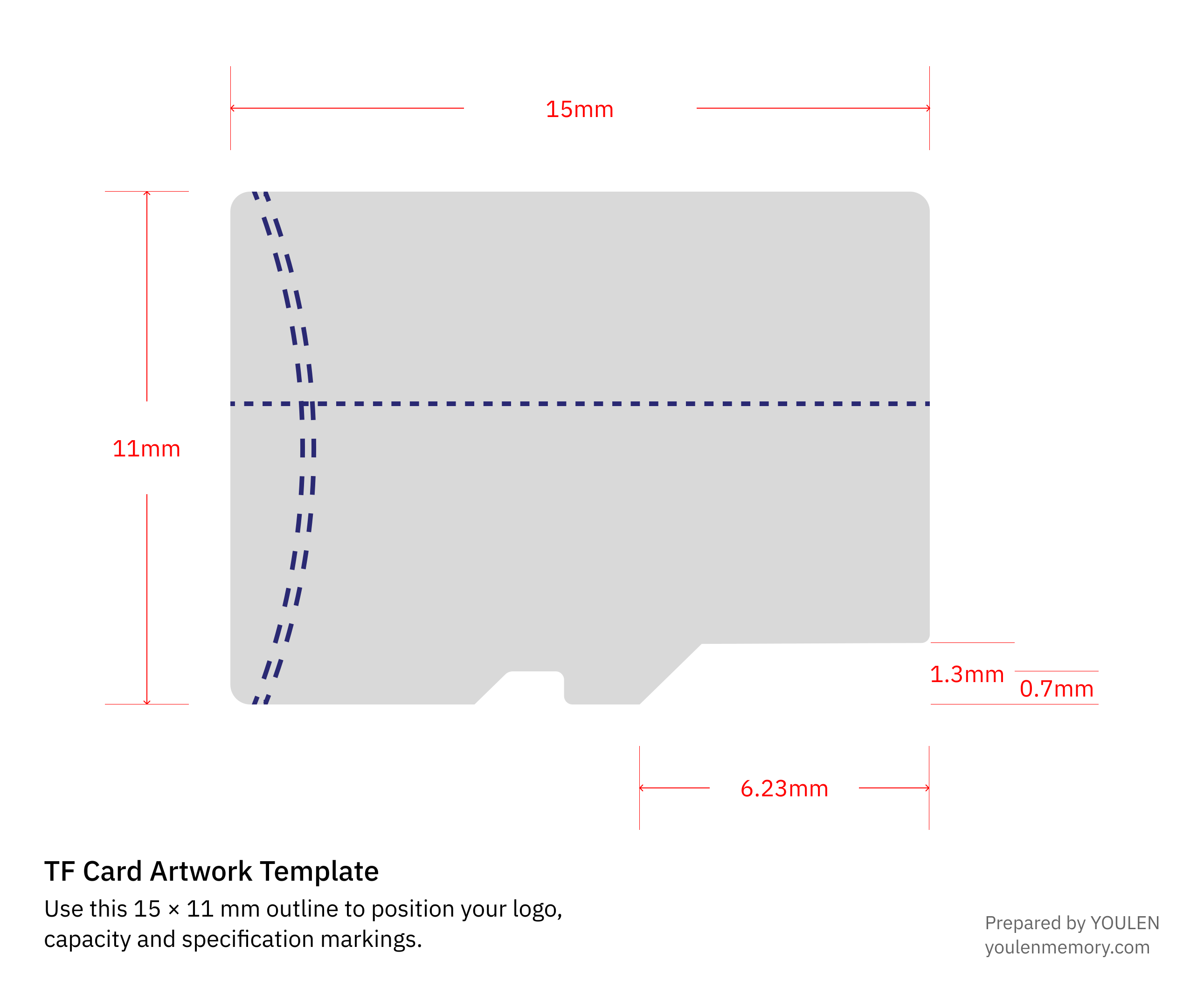
Keep text and logos 0.5 mm (0.0197 in) inside the edge
Measure at least 0.5 mm (0.0197 in) from the card edge to the nearest part of your lettering or logo, including along the sloping edges and lower notch.
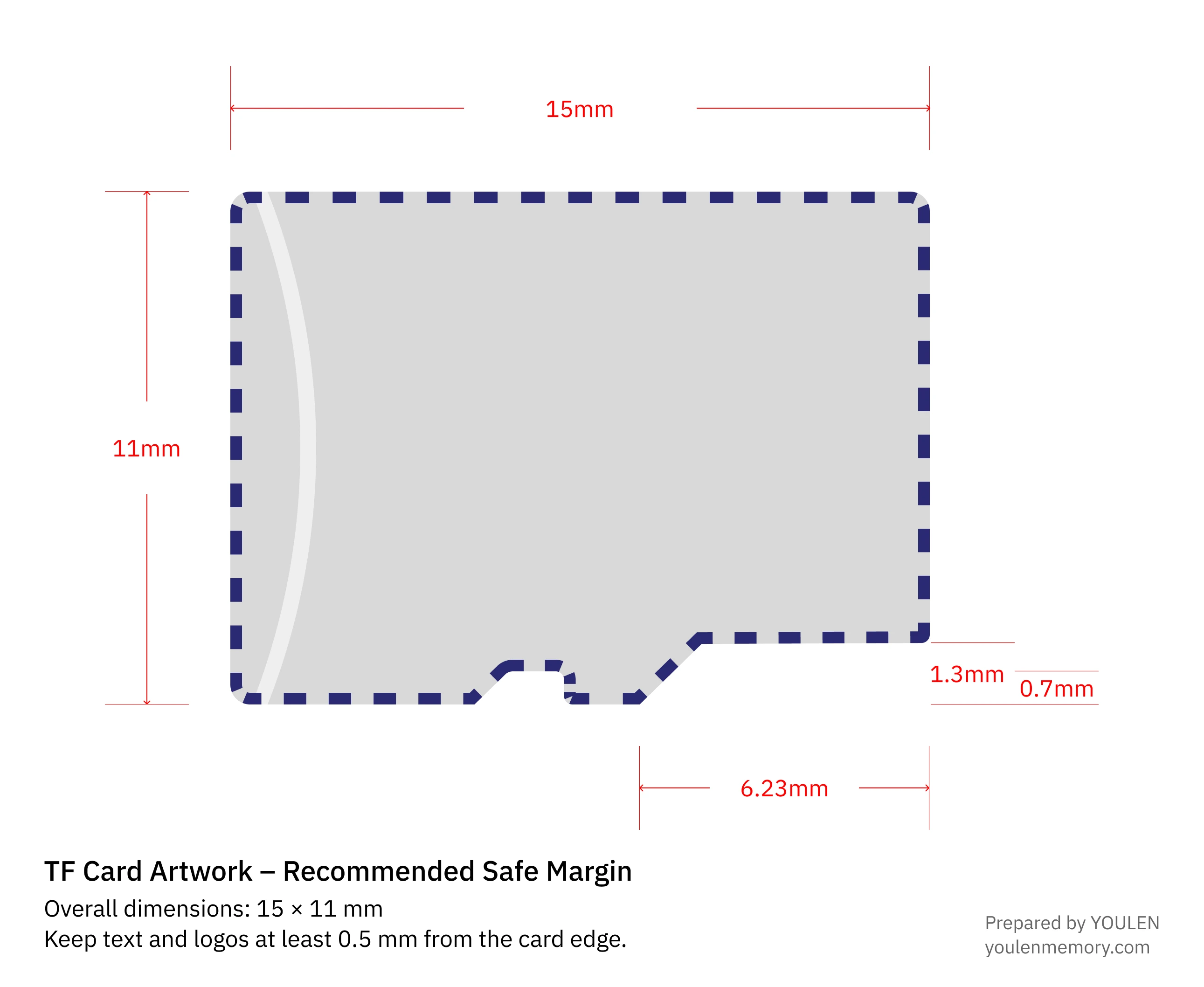
See how to measure the 0.5 mm (0.0197 in) clearance
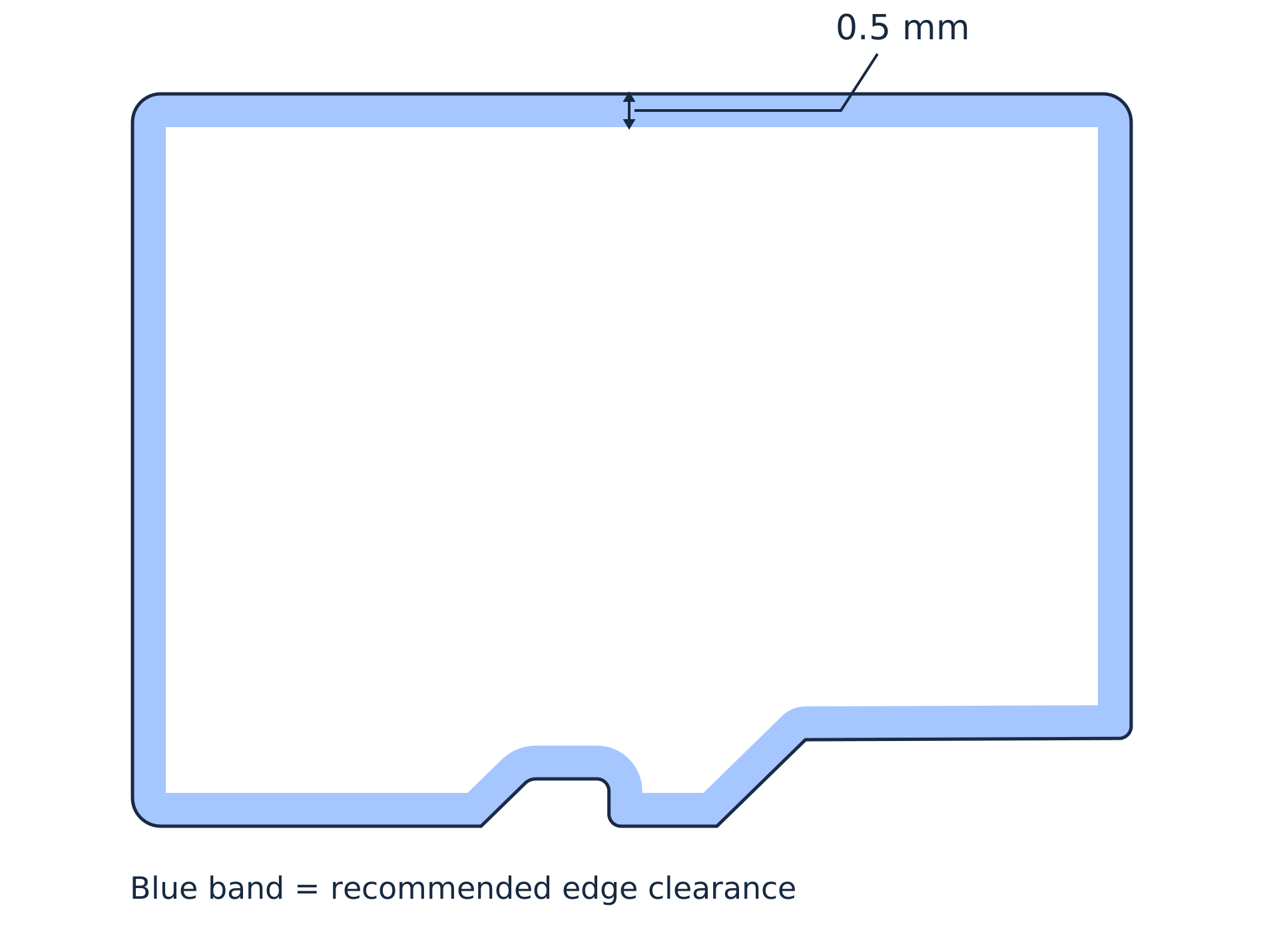
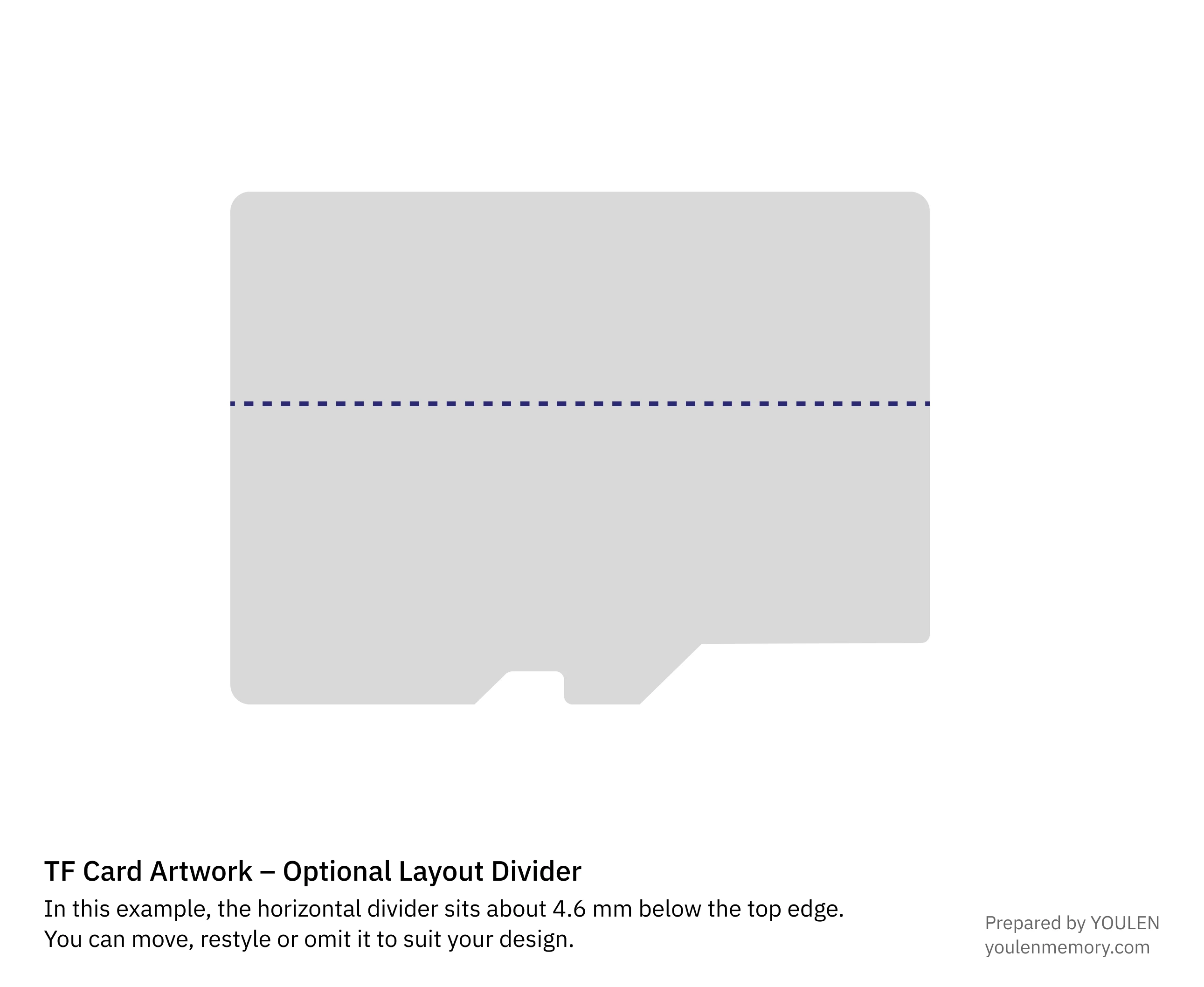
Choose your divider position
The example divider sits about 4.6 mm (0.181 in) below the top edge. Move it to suit a taller logo, change its style or omit it for a single-colour face.
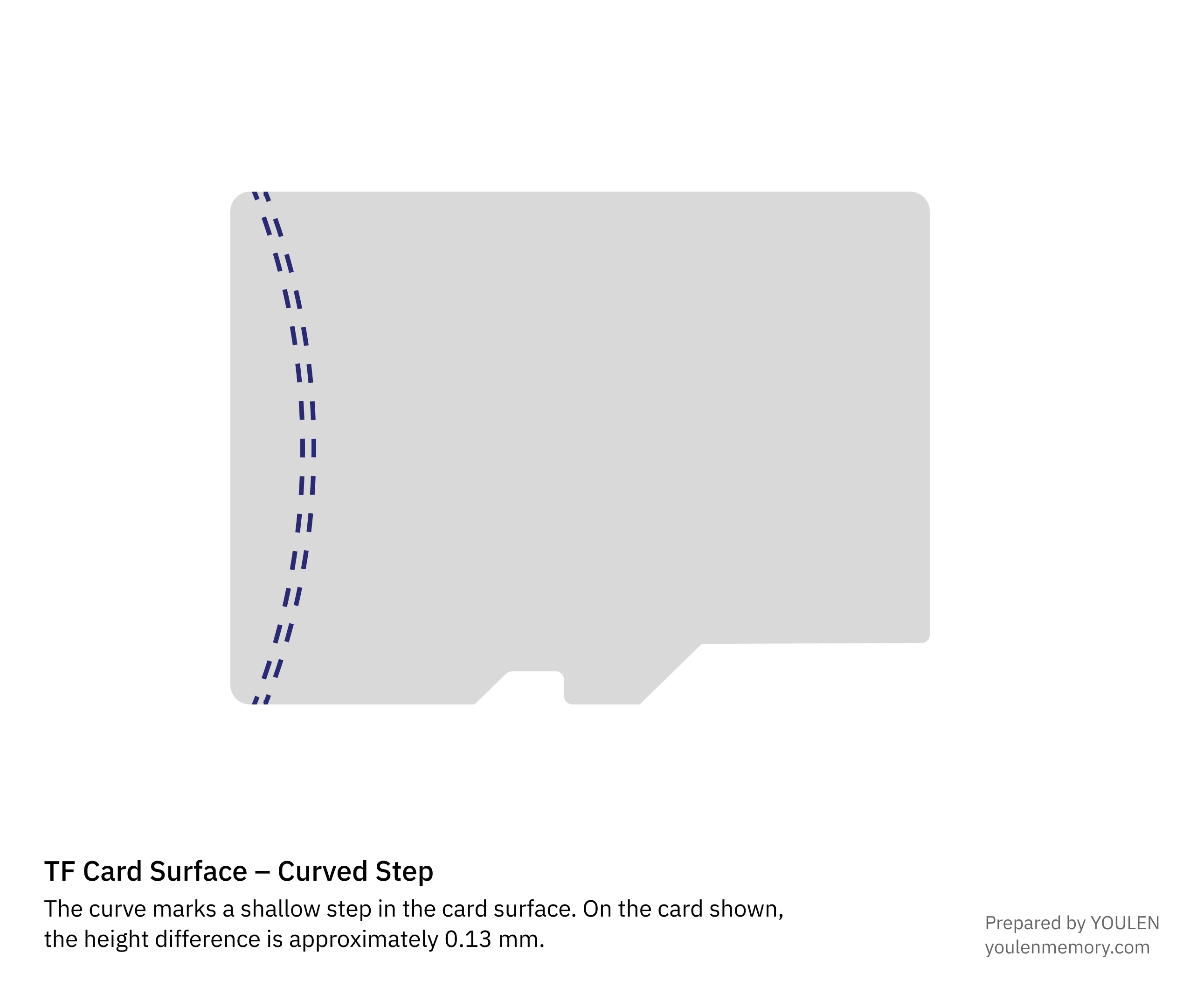
Recognise the curved step
On the card shown, the curve on the left marks a surface height difference of about 0.13 mm (0.0051 in). In YOULEN’s experience, this shallow step generally has little effect on printing. Leave the reference curve out of your brand artwork.
03
Leave space for the confirmed markings
Set the capacity first and reserve space for the required marks. The SD Association shows capacity, interface and performance marks together in its illustrated guide to card markings.
If a 32 GB design becomes a 64 GB design, check the capacity family and model as well as the number. Confirm the speed and application performance ratings for the new configuration. YOULEN reviews the applicable marks with you when the artwork is approved.
04
Design the blister card with the product in place
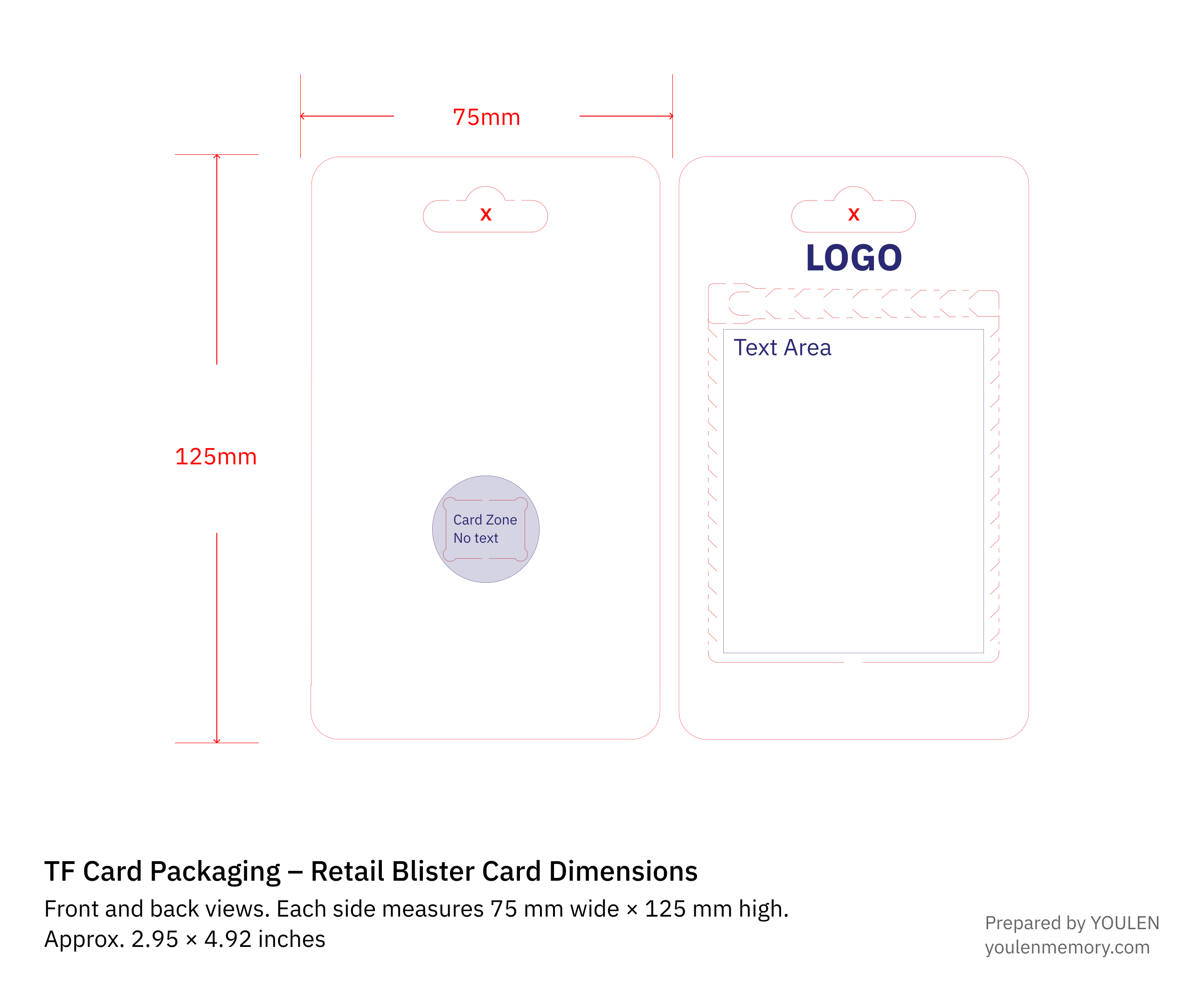
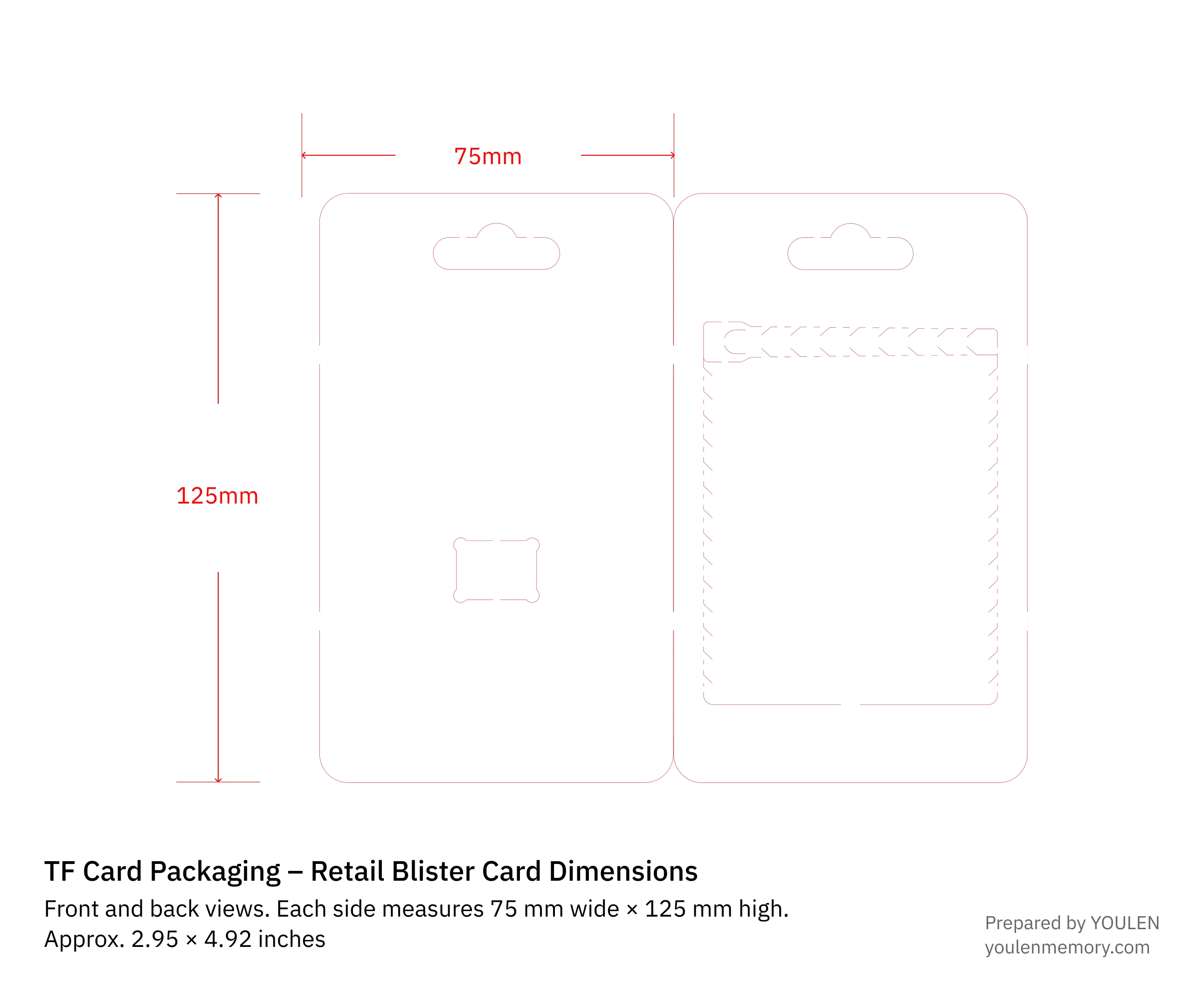
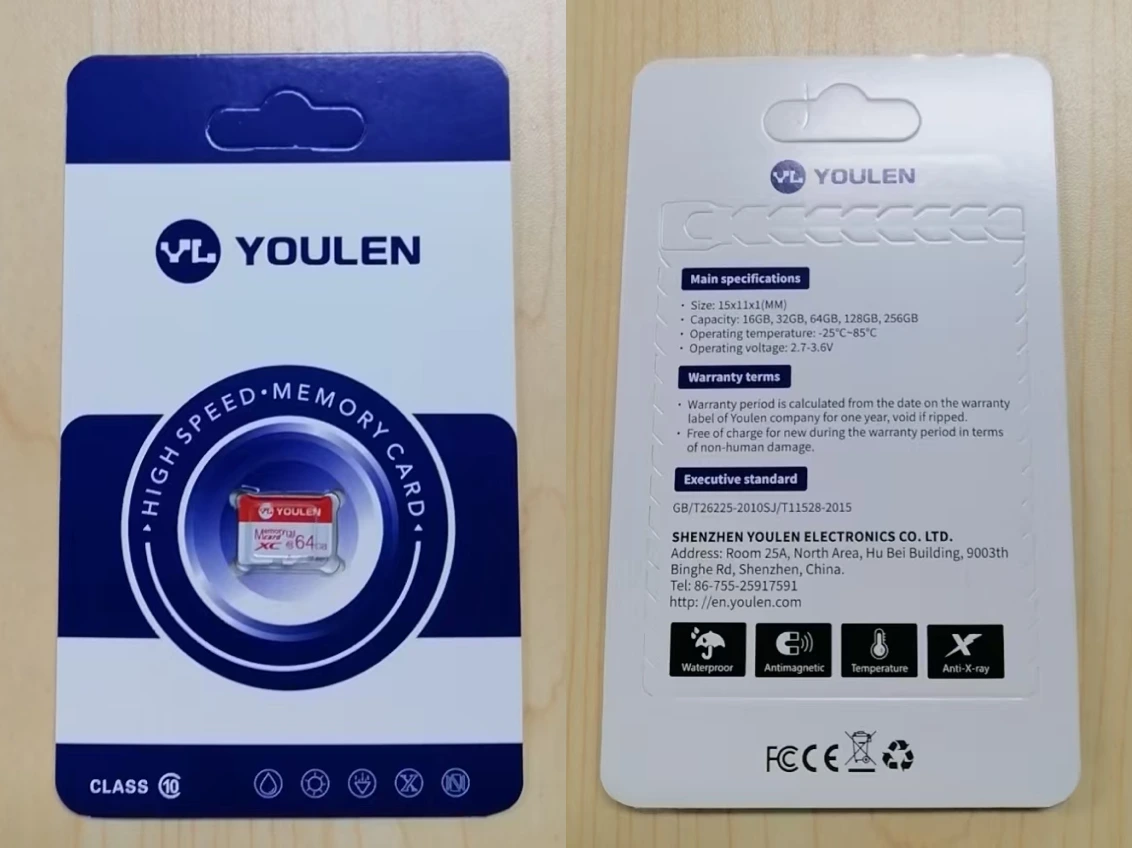
The paper backing in this retail pack measures 75 × 125 mm (2.95 × 4.92 in). The drawing shows its front and back side by side. Position the hang hole, clear blister and TF card before placing the brand or product text.
One printed backing for several capacities
If several capacities share the same pack, we recommend printing only the details they have in common. The back is a good place for shared instructions and support information. Show the actual capacity on the TF card where it can be read through the blister, or reserve space for a capacity label. If your variants have different barcodes, put the matching barcode on the label too.
A dedicated backing for each retail version
If shoppers buy the TF card on its own, we recommend a separate backing design for each capacity and specification you sell. Put the capacity where shoppers can see it on the front. Use the back for the model, confirmed performance ratings and barcode for that version. Check the assembled pack to make sure the blister leaves these details visible.
Download blister card template (SVG)
05
Use a printed label on a plain inner carton
In the packing example below, each plain inner carton holds 100 sets. Print the model, capacity, packed quantity and batch on a label and apply it in a consistent position. You can keep the same carton when capacity changes and update the label. For printing directly on the carton, send us your carton artwork so we can review a custom carton order.
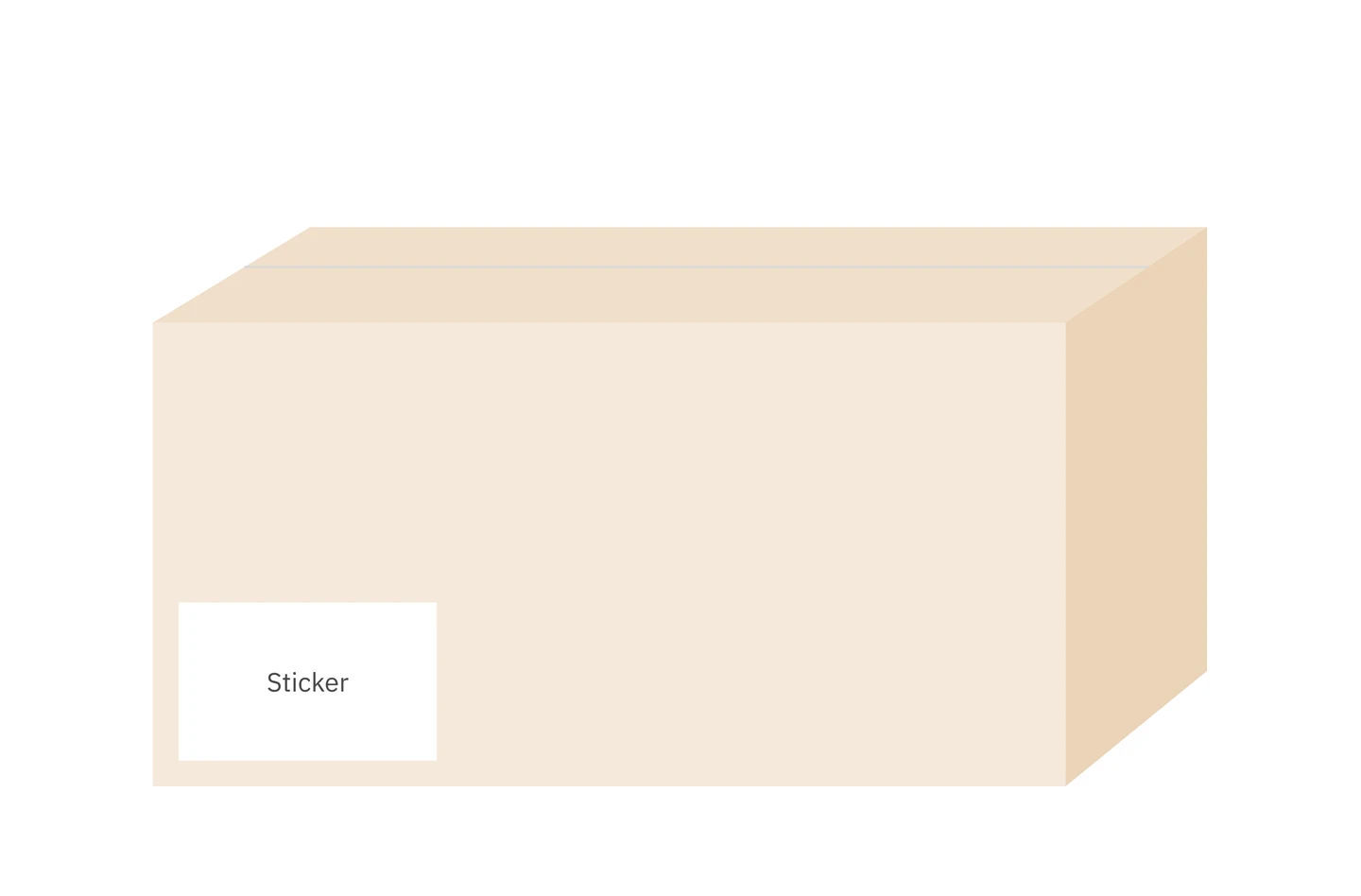
| Carton | Quantity | Dimensions |
|---|---|---|
| Inner | 100 sets | 28.0 × 8.6 × 13.8 cm (11.02 × 3.39 × 5.43 in) |
| Outer | 1,000 sets | 39 × 37 × 29 cm (15.35 × 14.57 × 11.42 in) |
For a change from 32 GB to 64 GB, check the card face and update the carton label. You can reuse a shared backing if every preprinted detail still applies; update any variant label. For a dedicated retail pack, use the backing that matches the 64 GB model and its specifications. Always enter the number of sets actually packed in the carton.
06
Need a custom card face or packaging?
Start with a quote request. Tell us how you’ll use the cards, the capacity and quantity you need, and which parts you want to customise: the card face, retail packaging or carton.
When YOULEN replies, attach your artwork to your email reply. Include the editable file and a preview of the same version, along with brand authorisation where applicable. Check the capacity, model and lettering in the exported preview.
If your artwork is still in progress, describe your idea in the quote request. YOULEN can help with a simple card face or blister card layout.
Designing a front label for the larger card format? See the full-size memory card label guide.